Help · Run the business
Vendor bills
Enter the bills vendors send you, see what's due, and record paying them.
Vendor bills is money your business owes: a contractor’s invoice, the rent, a supplier. Bills are recorded as money you owe until you pay them.
The cards at the top show what’s To pay, what’s Overdue, what’s Due in 7 days, and what you’ve Paid this month.
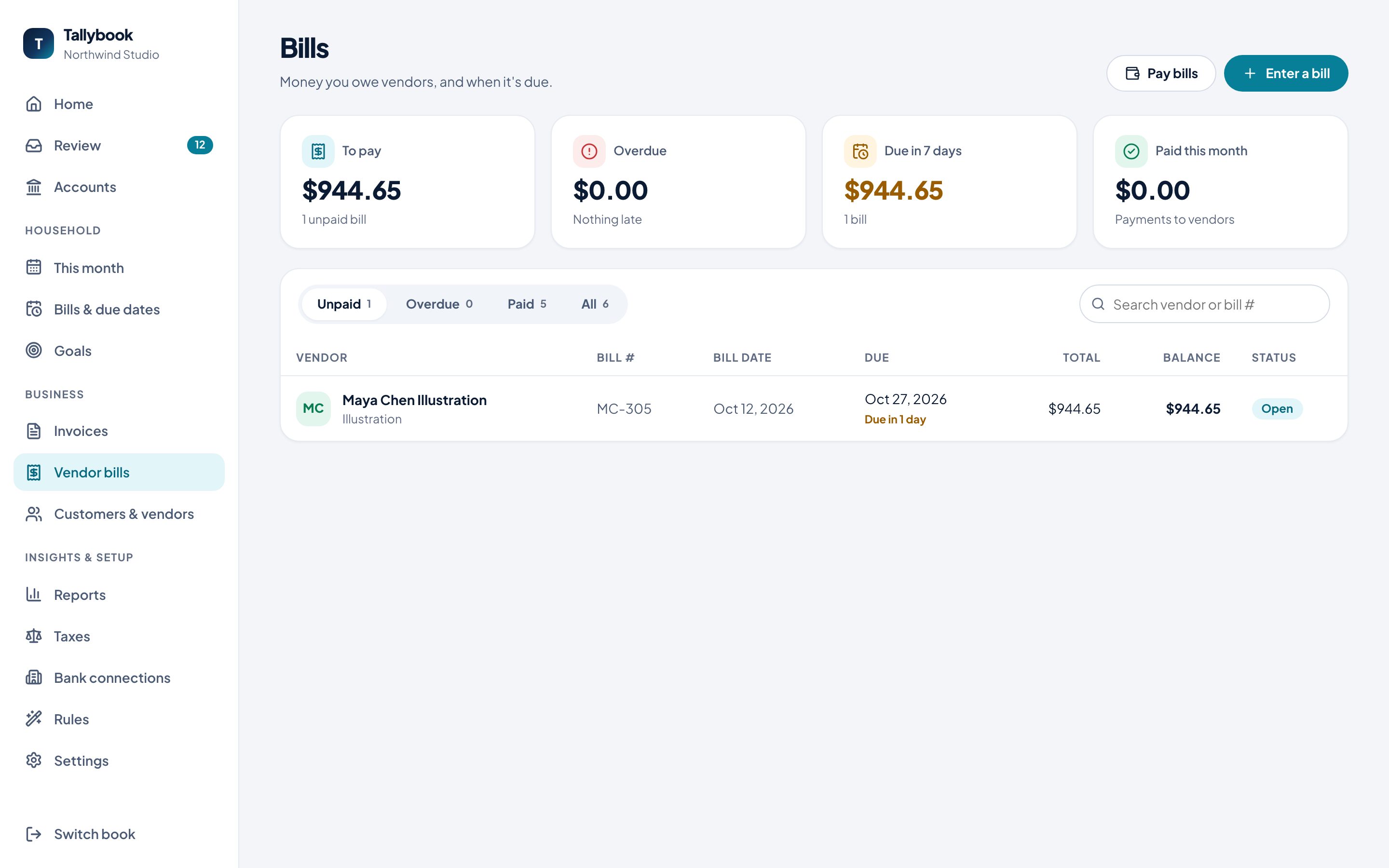
(Household bills like the phone and power are tracked separately, in Bills & due dates.)
Enter a bill
- Click Enter a bill.
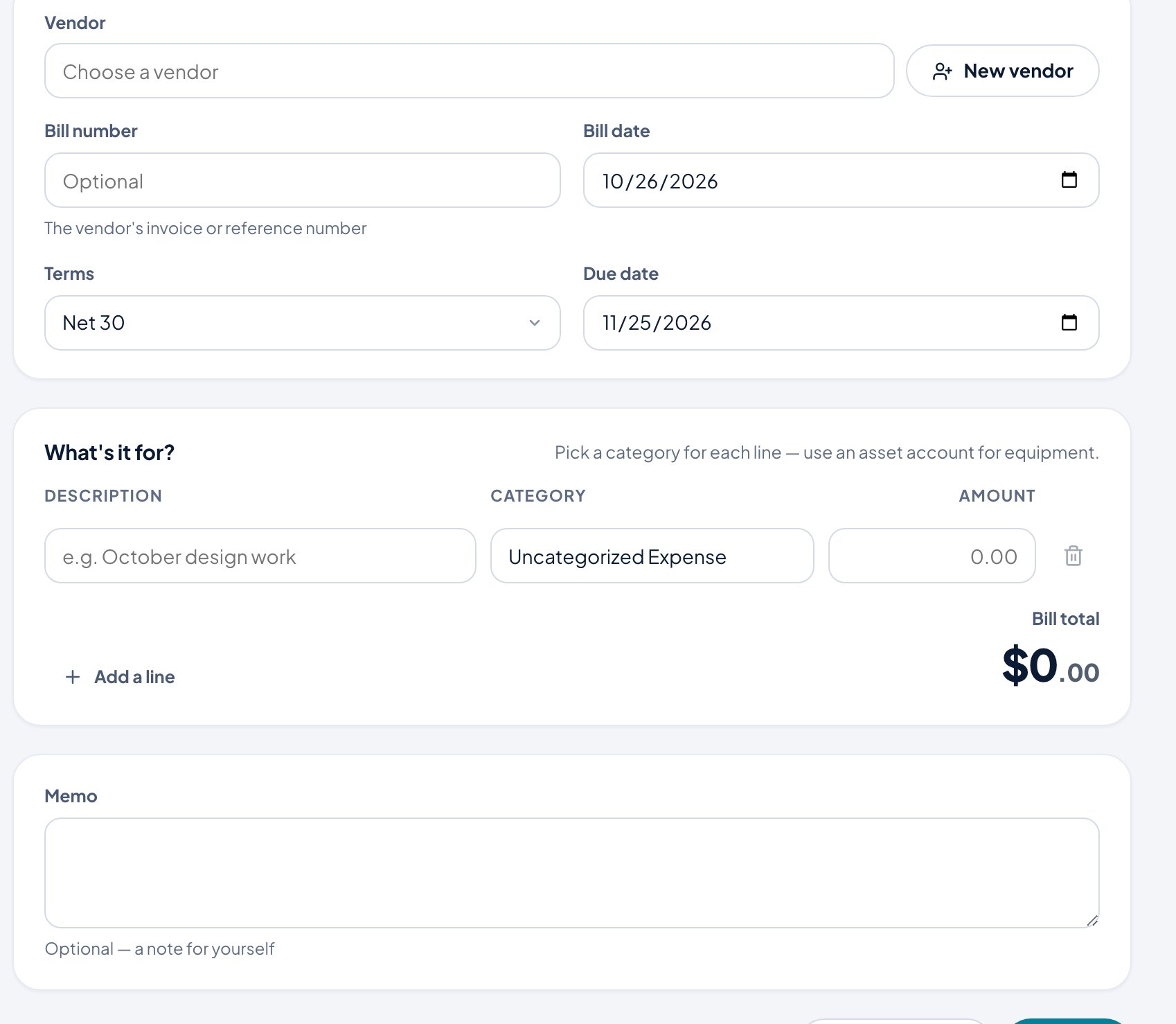
- Choose the Vendor, or New vendor to add one.
- Enter the Bill number (the vendor’s invoice or reference number), the Bill date and Terms. The Due date follows from the terms.
- Under What’s it for?, add a line for each part with a category and amount. Use an asset account for equipment.
- Add a Memo for yourself if you like.
- Click Save bill, or Save & pay now if you’ve already paid it.
Pay bills
- Click Pay bills.
- Choose the Vendor. Their unpaid bills are listed with what’s left on each and when it’s due. Choose the ones you’re paying; Clear all starts over.
- Choose Pay from, the Payment date and the Method, and add a reference if you like.
- Click Pay. The button shows the total.
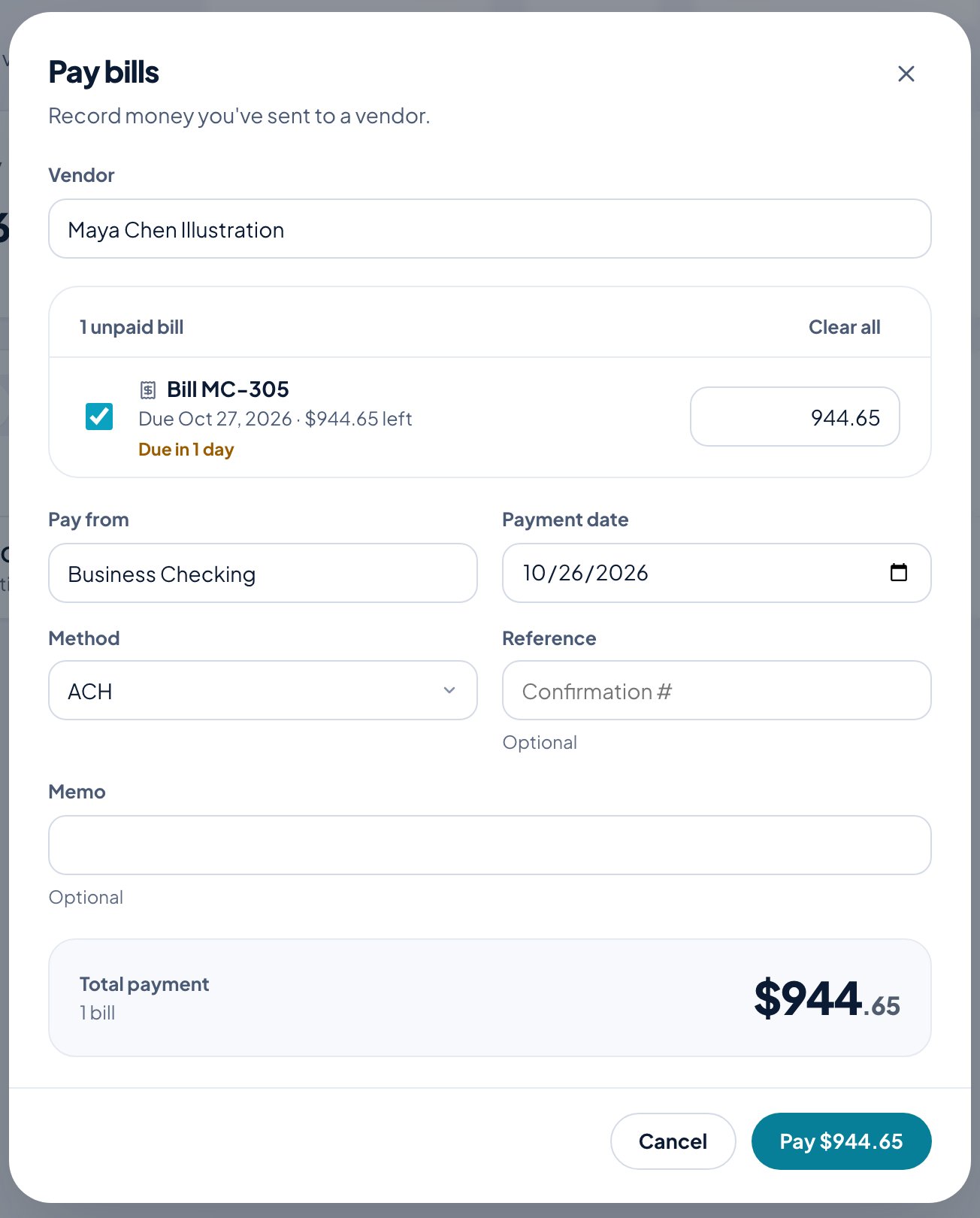
You can also open a single bill and click Pay bill. Open a bill to Print or Void it.
See everything you owe by how late it is in Reports → Who you owe.