Help · Getting started
Home at a glance
Cash on hand, what needs you today, money in and out this month, and where it went.
Home is the first thing you see when a book opens. It answers “how am I doing, and what needs me?” without opening a report.
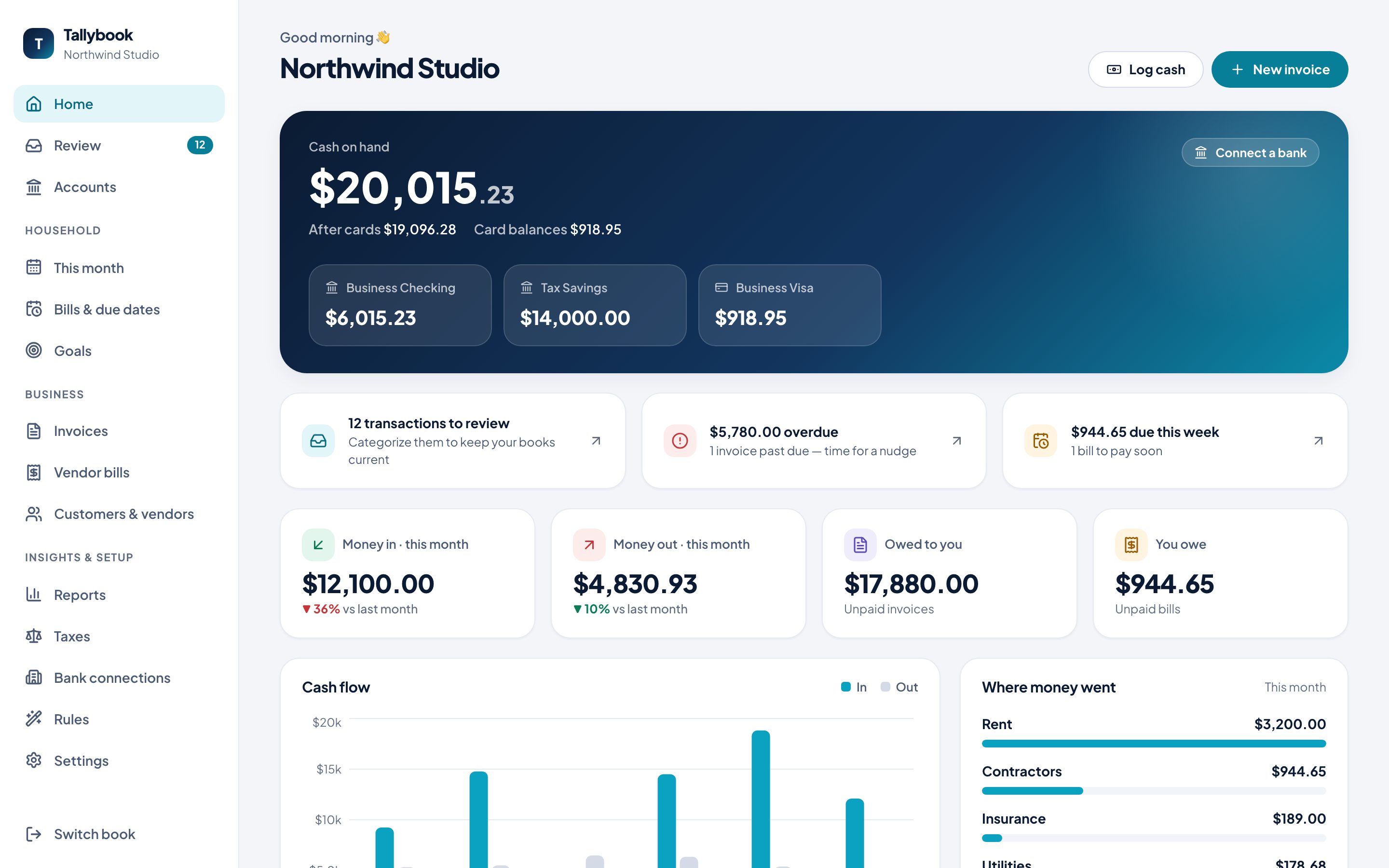
What’s on it
- Cash on hand: what’s in your bank accounts, and what’s left after cards. Each account is listed under it with its balance.
- What needs you: transactions waiting to be categorized, invoices past due, and bills due this week. Click one to go straight there.
- Money in and money out this month, compared with last month.
- Owed to you (unpaid invoices) and You owe (unpaid bills).
- Cash flow: money in and out for the last six months.
- Where money went this month, by category, and the net for the month.
Shortcuts
The buttons at the top do the most common jobs:
- Log cash records money the bank won’t see: the till, cash on hand, checks. See Log cash and journal entries.
- New invoice starts an invoice. See Invoices.
- Connect a bank opens Bank connections.
At the bottom are links to Send an invoice, Enter a bill, Import a statement and See reports.