Help · Run the household
Bills & due dates
Track the household's regular bills and see what's due today and this week. They tick themselves off when the payment shows up.
Bills & due dates keeps the rent, the phone, insurance and the rest in one place, so you can see what’s due today and this week. A bill ticks itself off when its payment shows up from your bank.
(Bills your business owes vendors are in Vendor bills.)
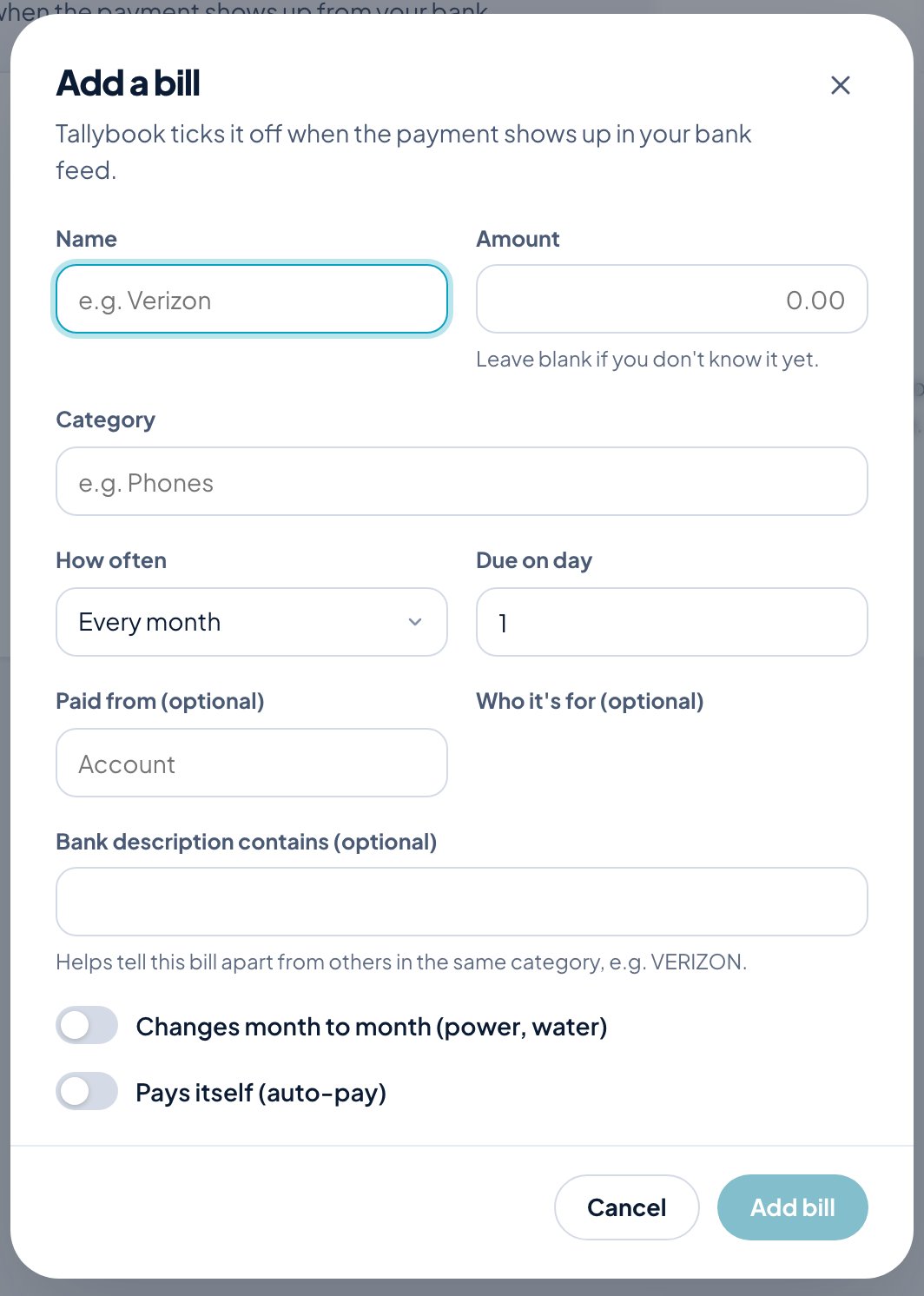
Add a bill
- Click Add a bill.
- Enter a Name and the Amount. Leave the amount blank if you don’t know it yet.
- Choose its Category.
- Choose How often (Every month, Every few months or Every week) and the day it’s due.
- Optionally choose the account it’s Paid from and Who it’s for.
- Bank description contains helps tell this bill apart from others in the same category, like VERIZON.
- Turn on Changes month to month for bills like power and water, and Pays itself for auto-pay.
- Click Add bill.
Bills paid on time count toward your budget score.