Help · Bring in transactions
Rules
Categorize bank transactions automatically: match the description, amount or account, and choose whether to review first.
A rule categorizes matching transactions for you. Tallybook also learns from what you accept in Review, so you only need rules for things you want handled the same way every time.
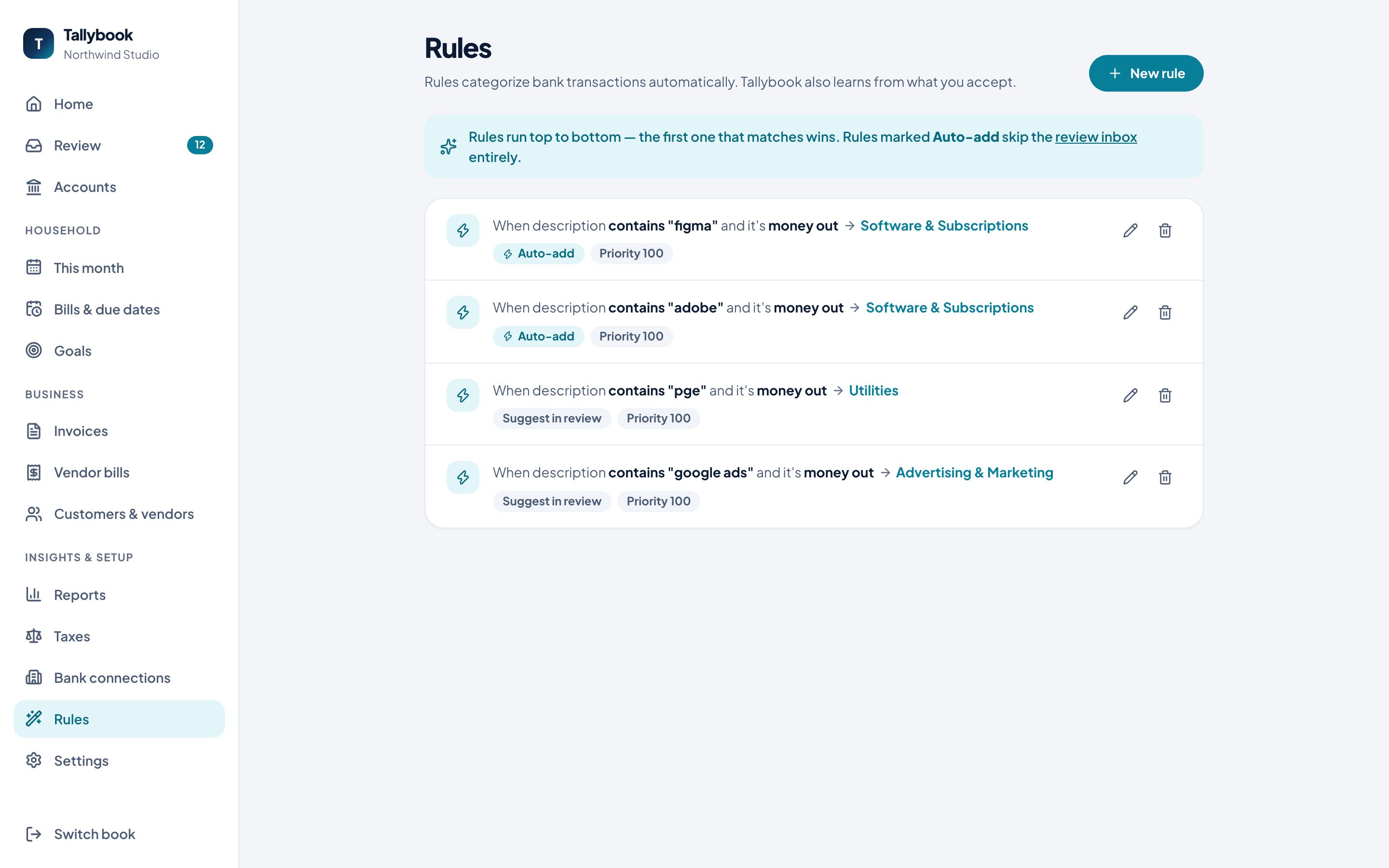
Rules run top to bottom, and the first one that matches wins.
Make a rule
- Go to Rules → New rule.
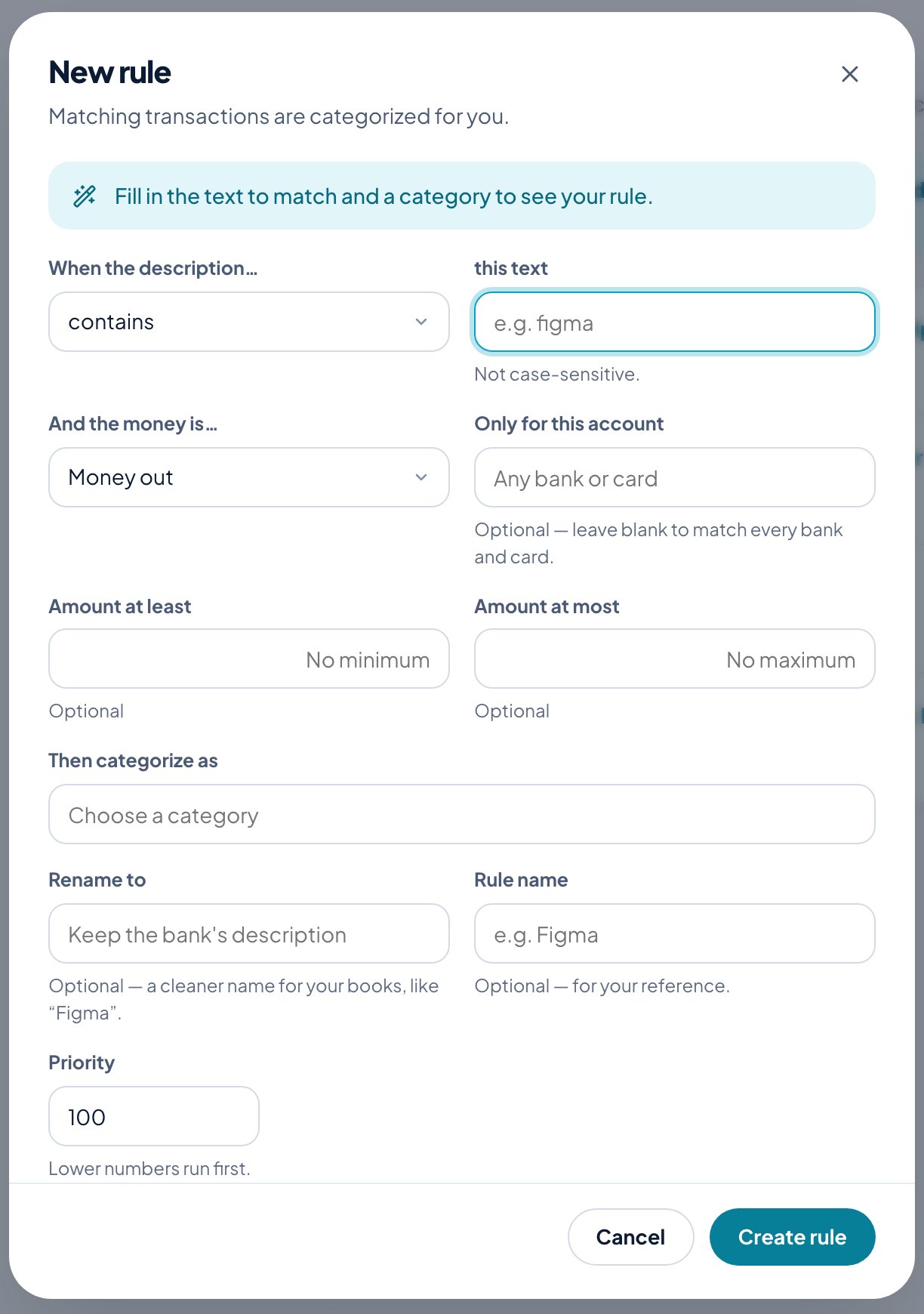
- When the description… contains, is exactly or starts with some text. It’s not case-sensitive.
- And the money is… either way, money in or money out.
- Optionally limit it to one account, or to an amount range with Amount at least and Amount at most.
- Then categorize as: pick the category.
- Optionally Rename to a cleaner name for your books, like “Figma” instead of “FIGMA.COM 8823”, and give the rule a name for your reference.
- Click Create rule.
Review first, or add automatically
By default a matching transaction waits in Review with the category suggested, one click to accept (Suggest in review). Turn on Add automatically without review and matching transactions skip Review altogether (Auto-add).
Priority
When two rules could match, the one with the lower priority number runs first.
Edit or delete any rule from its row on the Rules page.