Help · Getting started
Your first book
Create a book for your business, your household, or both, and find your way back to it.
Everything in Tallybook lives in a book: one file on your computer that holds your accounts, transactions, invoices, budget and reports. There’s no account to sign up for and no Tallybook cloud.
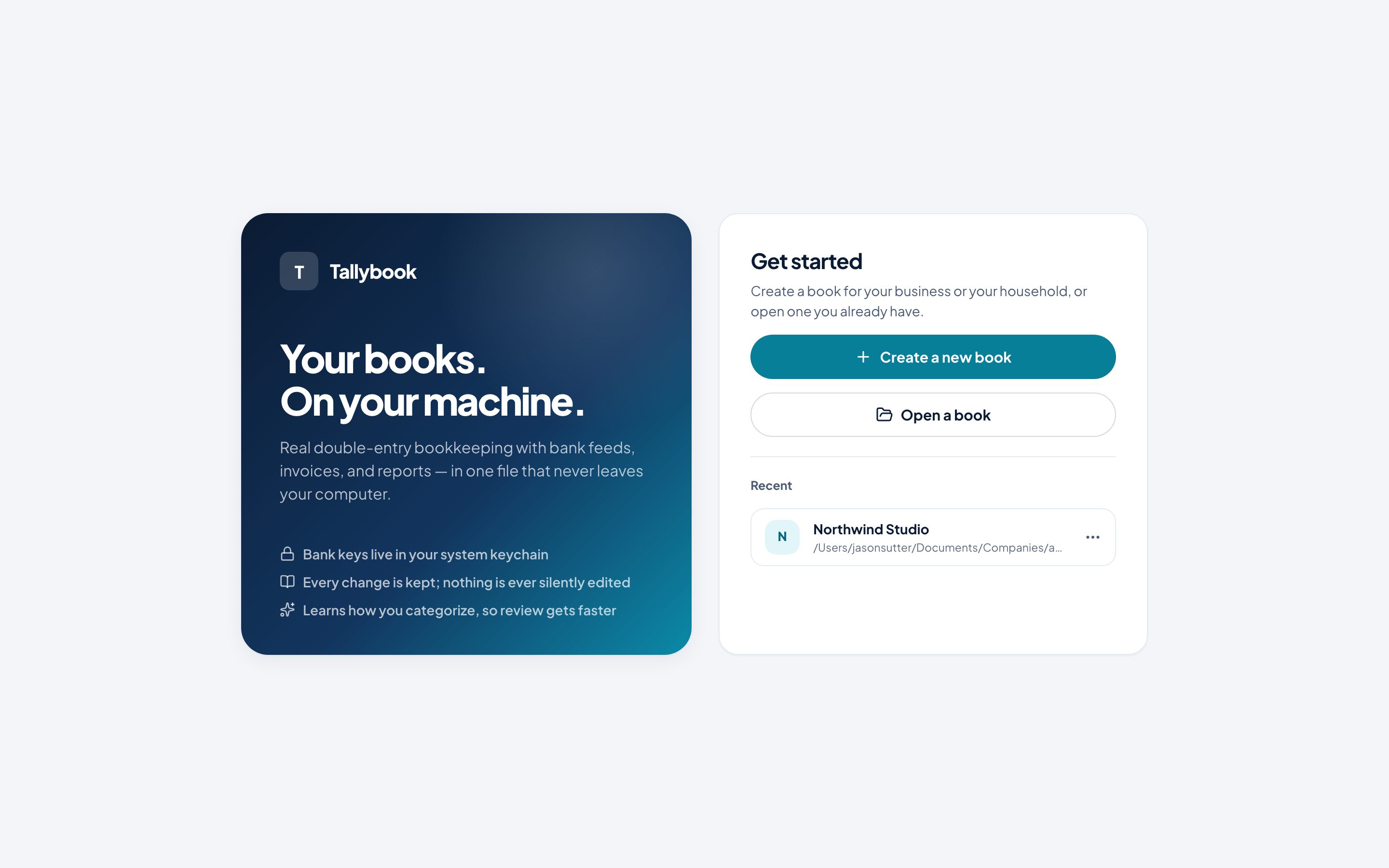
Create a book
- On the welcome screen, click Create a new book.
- Choose what the book is for:
- A business: invoices, bills, reports and tax prep.
- A household: a monthly budget, bills coming up, and goals.
- Both, in one book: for the self-employed. Each side keeps its own numbers, and money you pay yourself moves between them.
- Type a name. The window shows where the file will be saved.
- Click Create book.
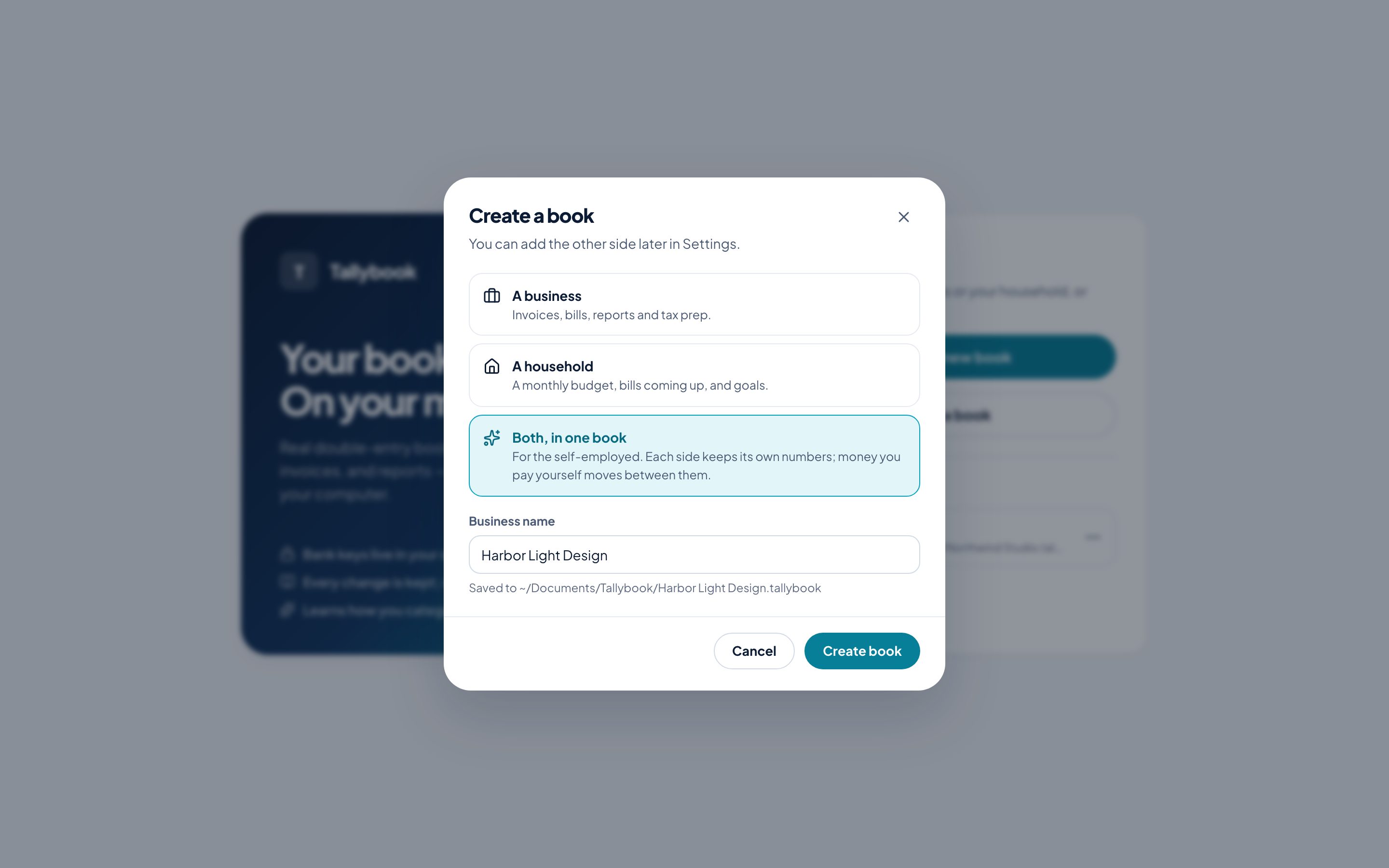
Picked one side and want the other later? Add it in Settings → Business & household.
Open a book
- Recent on the welcome screen lists the books you’ve opened. Click one to open it.
- Open a book finds a book file anywhere else, including a backup.
- Switch book, at the bottom of the sidebar, closes the book you’re in and goes back to the welcome screen.
Find your way around
The sidebar groups everything by what it’s for:
| Section | What’s there |
|---|---|
| Top | Home, Review (with a count of transactions waiting) and Accounts |
| Household | This month, Bills & due dates and Goals |
| Business | Invoices, Vendor bills and Customers & vendors |
| Insights & setup | Reports, Taxes, Bank connections, Rules and Settings |
Next, bring in your transactions: connect your bank or import a statement.